
Cancellation policy
Canceling Your Membership
You can cancel your Zwift-billed membership at any time from Zwift.com.
Your membership remains active until the end of your current billing cycle—the time between charges (monthly or yearly, depending on your membership).
Canceling a Zwift-Billed Membership
- Go to zwift.com/billing/membership and sign in.
-
Select MANAGE.
Show image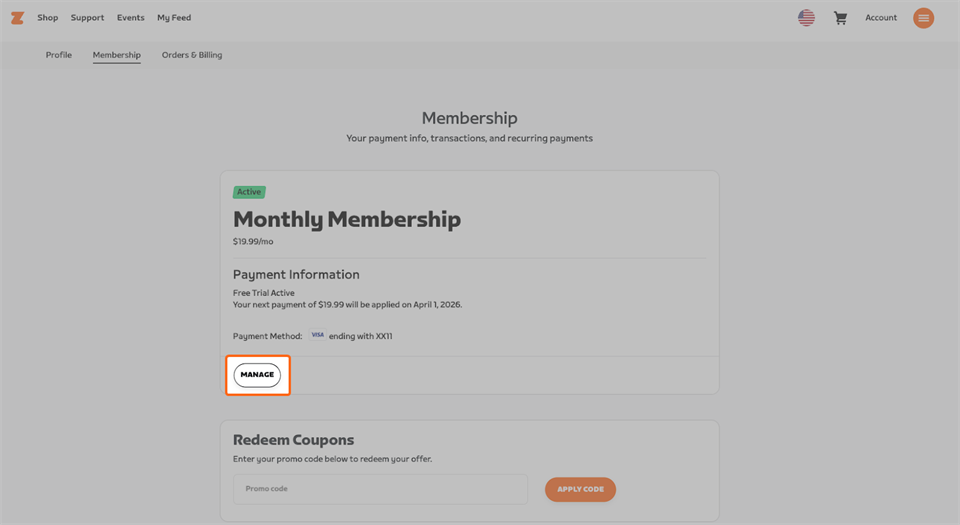
-
Select Zwift Membership.
Show image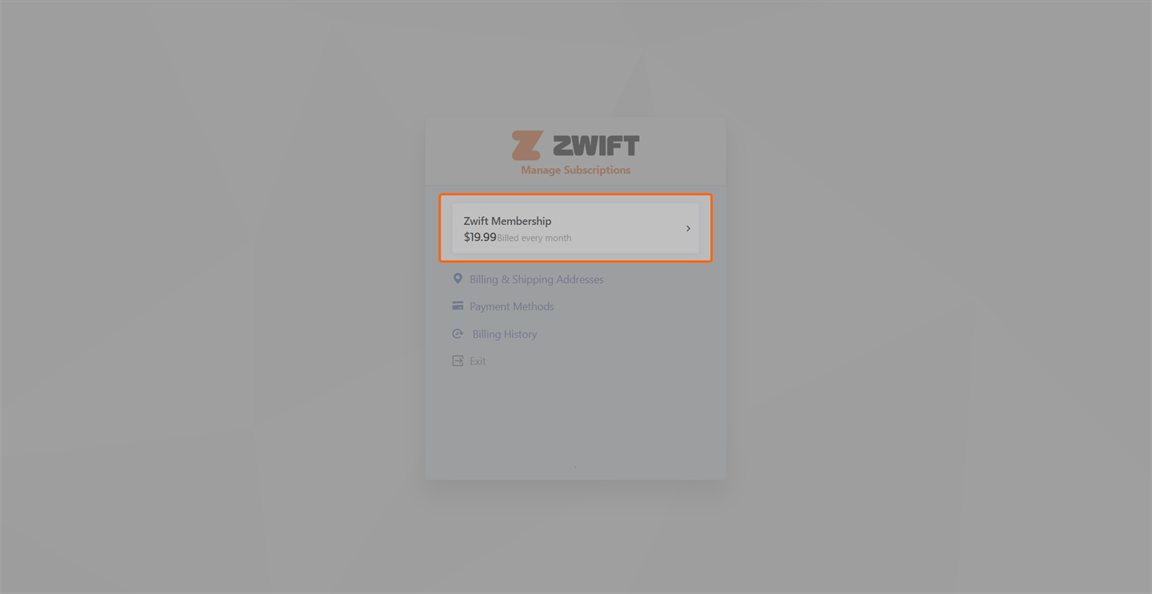
-
Select Cancel Subscription.
Show image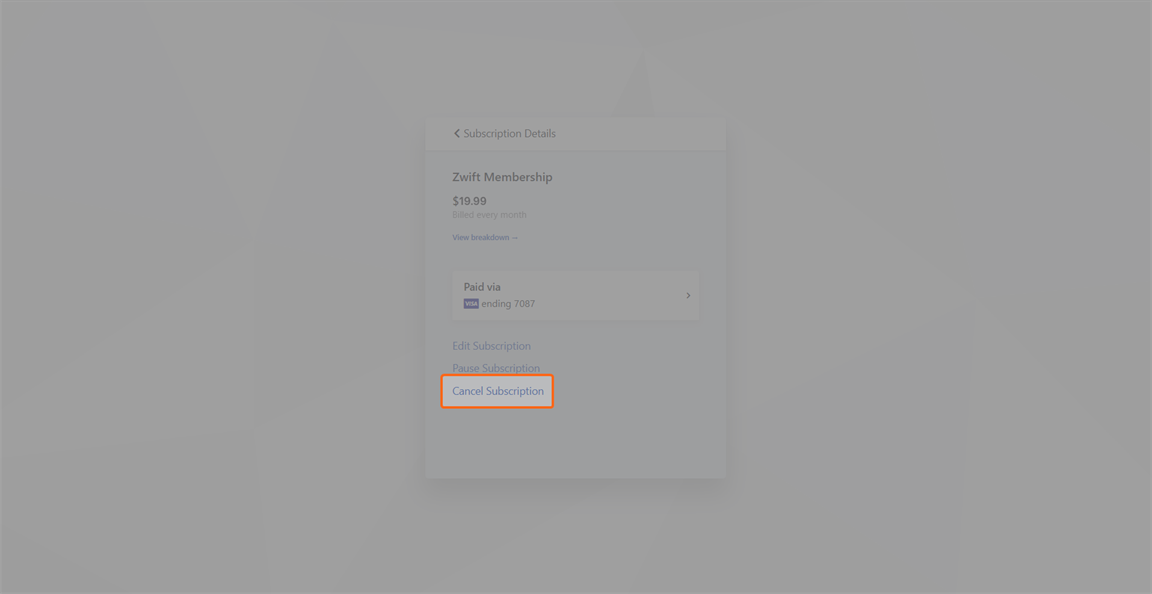
-
Select a reason for leaving and then select CANCEL MEMBERSHIP.
Things to Know
-
Your membership remains active until the end of your billing cycle—the time between charges (monthly or yearly, depending on your membership).
-
Cancel at least 24 hours before your next billing date to avoid renewal.
-
Direct Debit requires at least 7 days’ notice.
-
Your progress is saved after cancellation.
-
Riding requires an active membership. Running remains available.
-
If you change your mind, you can remove a scheduled cancellation at zwift.com/billing/membership.
- If you want to take a 7 - 90 day break from Zwift, you can pause your membership from the membership page instead of canceling.
Apple App Store Subscriptions
If you have an Apple® App Store® subscription, you won’t see a cancellation option on Zwift.com. To cancel, manage your subscription through the Apple App Store. Check out Apple's support documentation for more info.
Related Articles
-The Team at Zwift